🔥 Azure Firewall Watch
az-firewall-watch is a terminal UI for live log monitoring of Azure Firewall. It streams firewall logs from an Event Hub in near real-time and lets you filter and inspect them directly in your terminal — think tail -f for Azure Firewall, without waiting for Log Analytics ingestion. Built in Python with Textual, released under the MIT license.
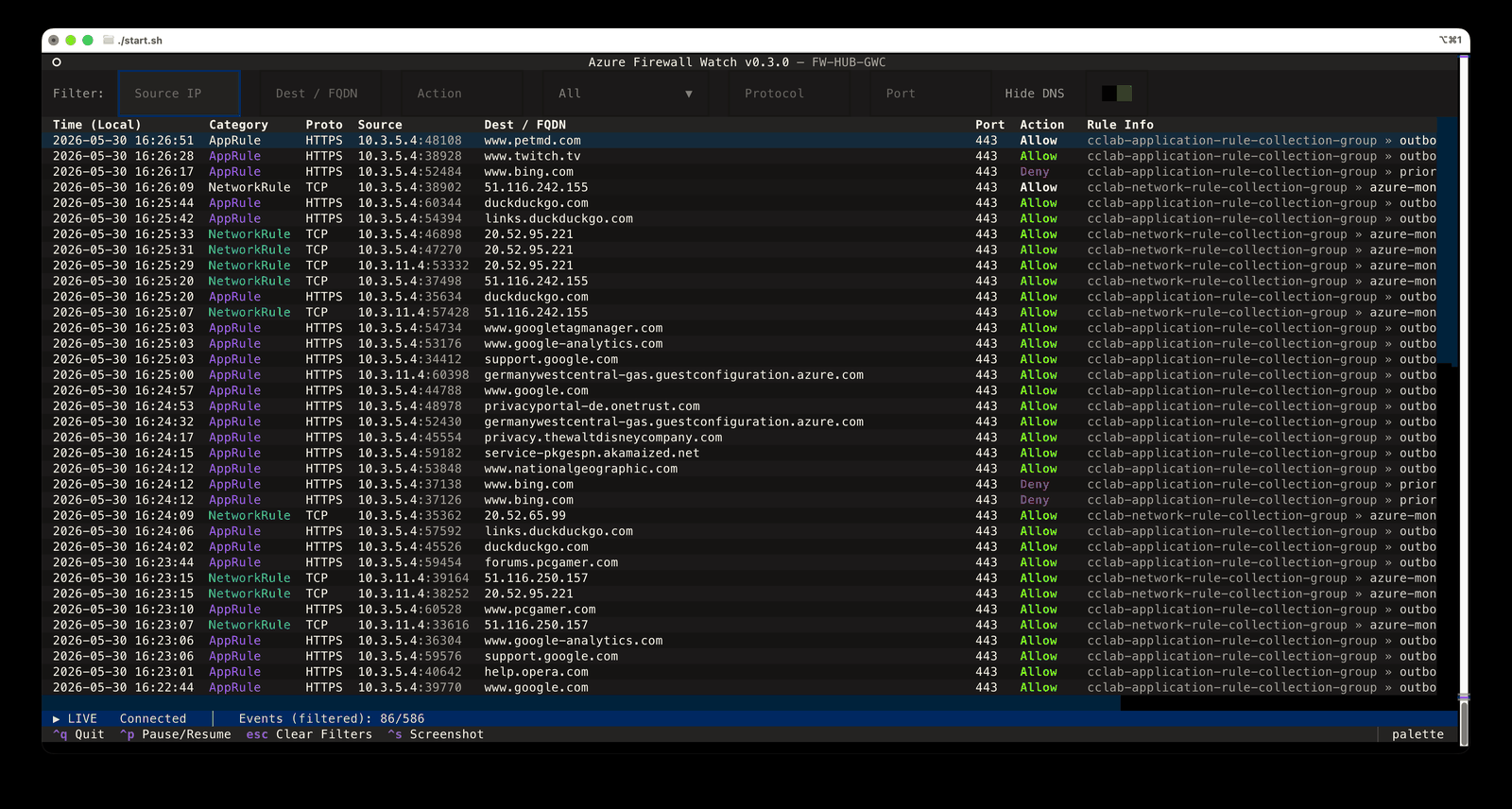
The idea is based on the excellent azure-firewall-mon by Nicola Delfino — a web app (Angular SPA plus an Azure Functions backend) that you deploy into your own environment. az-firewall-watch takes that idea to the terminal and extends it: it’s a single local binary with nothing to deploy besides the Event Hub, it adds a setup wizard that can even provision the whole log pipeline (Event Hub + diagnostic settings) for you, supports passwordless Entra ID authentication, and shows the matched rule for every log entry in a detail view.
How it works
Diagnostic Settings on your Azure Firewall forward the log categories (NetworkRule, AppRule, NATRule, DnsQuery, IDPS, ThreatIntel — legacy and structured formats) to an Event Hub, which buffers the events. az-firewall-watch consumes them in real time:
Azure Firewall
    └─▶ Diagnostic Settings
            └─▶ Event Hub  ◀─── az-firewall-watch (streams in real time)
The Event Hub is the only Azure resource you need, and it’s typically cheap — a Basic-tier namespace costs roughly $10/month plus a few cents per million events (check the Event Hubs pricing page for current numbers).
Getting started
Download a prebuilt binary for Windows, macOS (Apple Silicon), or Linux from the latest release — no Python required — or run from source (Python 3.10+). On first launch, the setup wizard connects the tool to your logs: pick an existing Event Hub, or let it deploy a new one including the diagnostic settings in a few minutes. Authentication is either Entra ID (passwordless, recommended) or a Listen-only SAS rule.
All further details — install commands per platform, configuration, filters, and key bindings — live in the README on GitHub. Issues and feature requests are welcome; a ⭐ is appreciated, too.